Ready check
A ready check lets whoever is running a race confirm that every official is in position and ready before the start. Instead of calling around on the radio, you send a single prompt and watch confirmations come back in real time.
Starting a ready check
The ready check runs inside race mode. Open the Tools folder and tap Ready Check. Until race mode is active for the race, the tile is greyed out and reads Race not active.
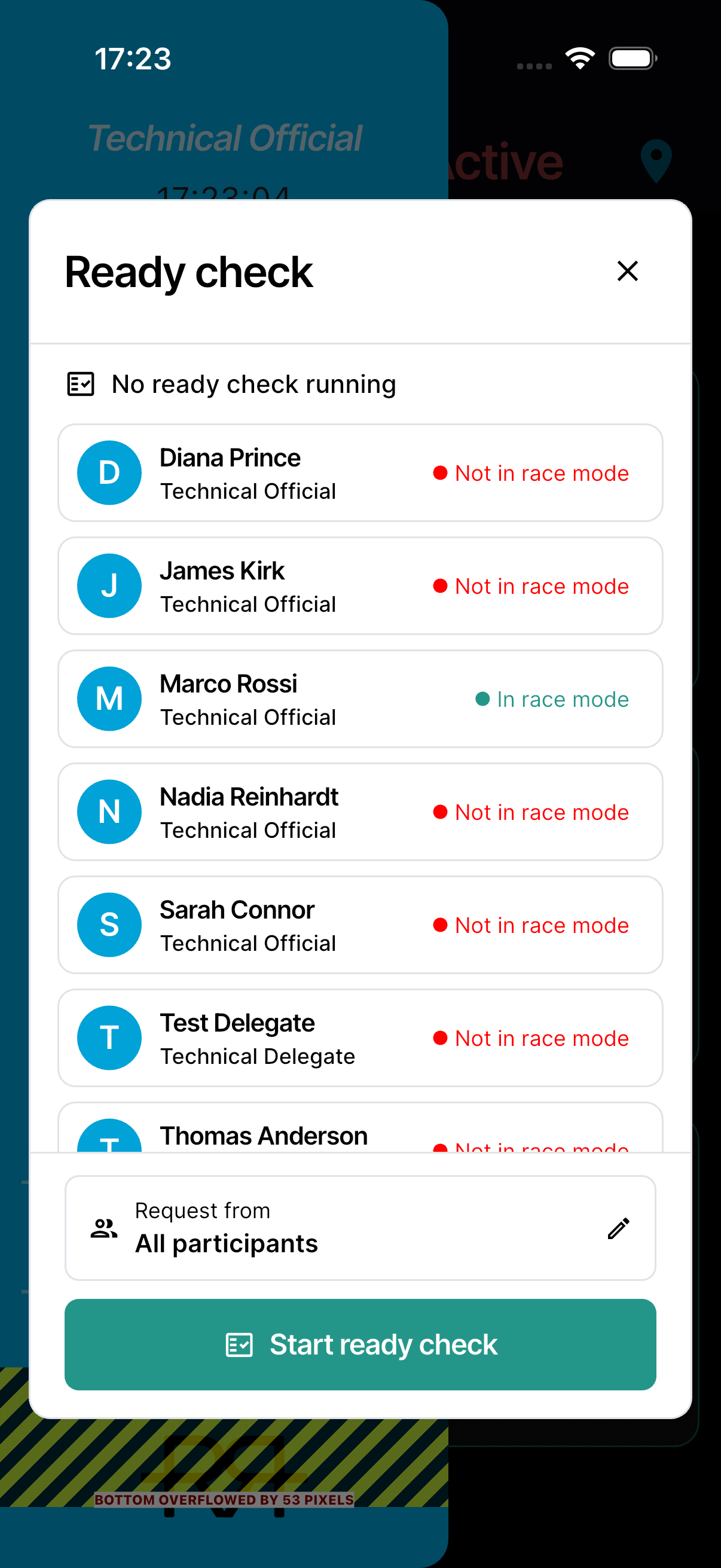
The page lists every official who takes part in ready checks, and whether they're in race mode for this race. Each official also shows their battery level, whether their location is coming through (Tracking or Not tracking), and how long ago it last updated — so you can spot a flat battery, a dropped position, or a tracking problem before the start.
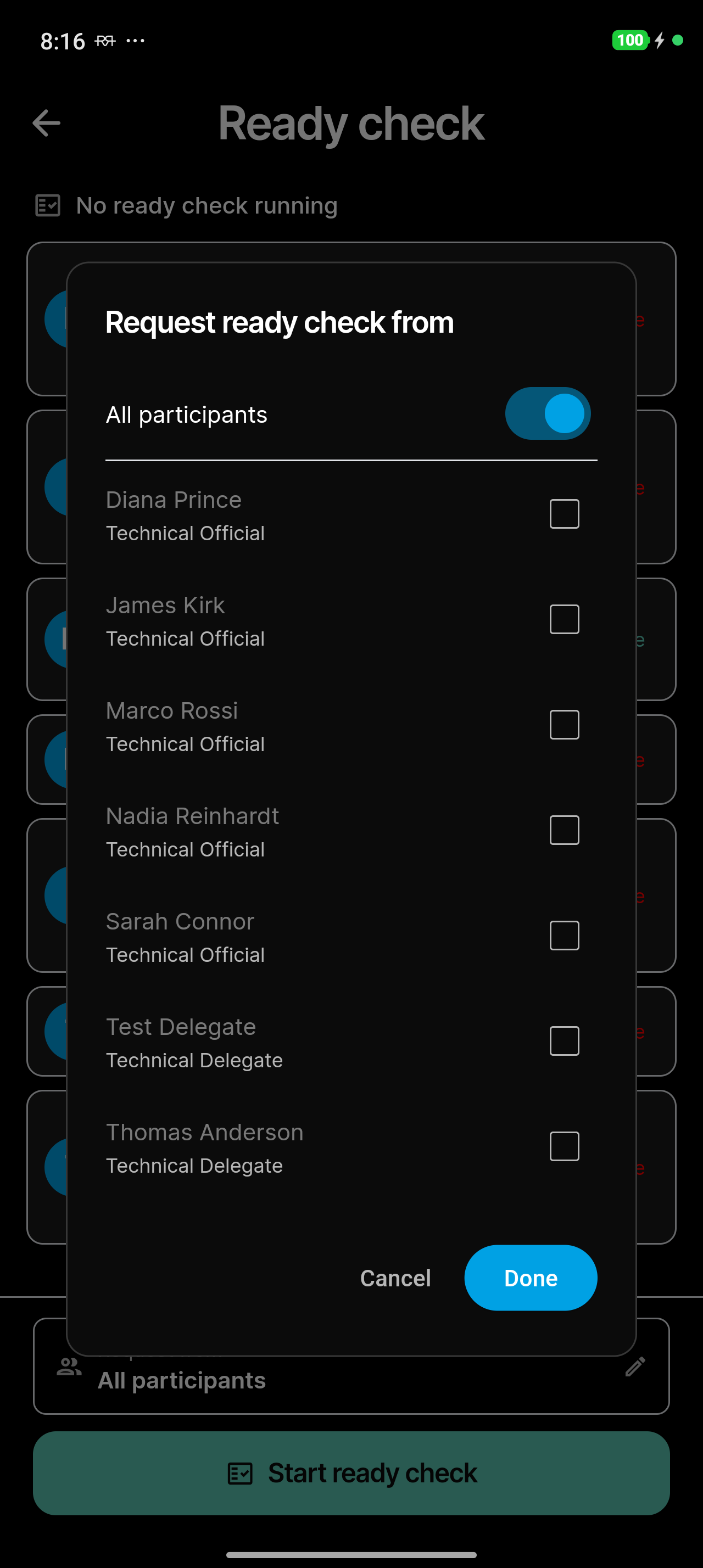
Before you start, Request from lets you choose who the check goes to: All participants (the default), or switch that off and tick the officials you want. Tap Done to keep your choice. When you target a subset, only they are asked, and progress counts just them.
Tap Start ready check. Everyone asked gets a notification that opens the race for them, and you count as ready straight away. Officials marked Not in Race for this race aren't asked: they get no notification and aren't listed or counted, on the phone or in race control.
Following the answers
While a check runs, the page reads Ready check in progress with a count of confirmations, for example 3 / 7. The count turns green once everyone has confirmed. Each official asked shows one of three states:
- Ready — they have confirmed they're set.
- Pending — they haven't answered yet.
- Not ready — they answered that they aren't ready. Their reason shows under their name.
Tap an official to open their card. It shows their phone number with Call (if they've added one), whether they're in race mode and sharing their location, their battery, and their last known location with Open in Maps, plus their answer in this check.
If you can start the ready check, the card also lets you ask that one official:
- Request ready check — when no check is running, starts one that asks only them.
- Ask again — sends the running check to them again, and only to them.
- Add to the ready check — adds them to a check that was sent to other officials.
After you ask, the button waits about 30 seconds before you can ask the same person again.
Resending, resetting, and ending
While a check is in progress you have three controls:
- Resend — send the notification again to everyone who hasn't confirmed yet. To avoid spamming officials there's a 30-second wait between resends, and the button counts down the seconds.
- Reset — clear everyone's answers and start a fresh round. Officials in race mode are asked again in the app, but no new notification goes out — use Resend for that.
- End — finish the ready check.
People who have already confirmed are never notified again by a resend.
Confirming you're ready
When someone starts a ready check, you get a Ready check notification for your race. Tap it to open the race. In race mode, a Ready check prompt asks whether you're ready for the race:
- Tap I'm ready, add a note if you like, and tap Confirm.
- Or tap Not ready, say why — a reason is required — and tap Confirm. The app asks Mark yourself NOT ready?: race control is notified and your reason goes into the race log. Tap Confirm not ready.
Your answer also sends your battery level and — if the app may use your location — your current position, so race control sees where you are even when your role doesn't share its location. If the check is reset, you're asked again.
Who can use it
- Running the check — starting, resending, resetting, and ending it, and asking one official from their card, is for officials whose role can start and stop the race.
- Being asked — any assigned official whose role has the Ready check permission (included in pre-race ready checks). Their Ready Check tile opens the list without the controls.
The race needs Ready check switched on in its settings — your technical delegate sets this — and race mode must be active.